

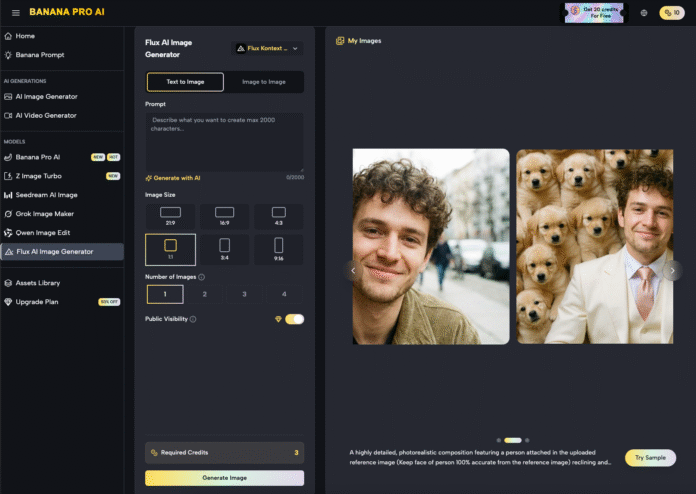
The primary friction point in generative AI today is no longer the “creation” of an image. We have reached a state of saturated capability where a basic prompt can yield a visually arresting result in seconds. The real hurdle for product teams and creative directors is the transition from a “cool image” to a “launch-ready asset.” Professional-grade production requires more than a lucky roll of the digital dice; it requires surgical control over specific regions of a frame.
When a team is preparing a product launch or a high-stakes marketing campaign, they cannot afford the anatomical errors or environmental inconsistencies that haunt raw AI generations. This is where the workflow shifts from generation to iteration. Tools like Banana AI have recognized that the prompt box is merely the starting line. The finish line is found within the canvas, through regional changes and sophisticated inpainting.
The Illusion of the One-Shot Prompt
There is a persistent myth in AI circles that the best creators are simply the best “prompt engineers.” In a high-velocity production environment, this is rarely true. A marketing lead for a consumer electronics brand doesn’t need a prompt that generates a perfect smartphone in a lifestyle setting on the first try. They need a system that allows them to generate a base concept and then refine the texture of the glass, the reflection on the screen, and the way the user’s hand grips the device.
Relying on “one-shot” generations leads to a cycle of wasted compute and mounting frustration. You might get the perfect lighting in one version, but the product’s logo is garbled. In the next version, the logo is perfect, but the background is distracting. Localized editing solves this by decoupling the components of an image. By using an AI Image Editor, teams can lock in the elements that work and aggressively iterate on the elements that don’t.
Nano Banana Pro: Precision Over Volume
In the hierarchy of generative models, there is often a trade-off between massive parameter counts and operational speed. Nano Banana Pro is positioned as a high-efficiency engine designed for this specific iterative cycle. While larger models might produce more “complex” latent noise, Nano Banana Pro excels in the “Nano Banana” ecosystem by providing the responsiveness required for real-time canvas work.
When you are in the middle of a regional edit, you don’t want to wait sixty seconds to see if a mask worked. You need a fast feedback loop. The Nano Banana architecture is optimized for these micro-adjustments. Whether you are swapping out a background or fixing a specific limb deformity, the speed of Nano Banana Pro ensures that the creative momentum isn’t broken by a loading bar. It is a tool for the operator who knows exactly what they want and needs the AI to keep pace with their decision-making.
The Strategic Utility of Regional Inpainting
Inpainting is often misunderstood as a “repair” tool—something used to fix mistakes. While it certainly does that, its more powerful application is “intentional evolution.” Consider a scenario where a creative team is designing an ad for a luxury watch. The base image generated by Banana Pro might be excellent, but the watch face needs to show a specific time, and the leather strap needs to have a particular grain.
Using regional changes, the designer masks the watch face and provides a specific prompt for that area alone. This prevents the AI from “re-thinking” the entire composition. The lighting remains consistent, the model’s skin tone stays the same, and the depth of field is preserved. Only the masked region evolves. This level of control is what separates hobbyist exploration from professional asset production.
However, it is important to acknowledge a point of uncertainty here: inpainting is not a magic wand. Even with a tool as refined as Nano Banana, there are moments where the boundary between the masked area and the original image can struggle with “seam” consistency. If the lighting in the new prompt differs too radically from the original global lighting, the blend can feel unnatural. This requires a human eye to manage mask feathering and prompt strength—a reminder that the “AI” is a co-pilot, not an autonomous agent.
The Canvas Workflow: Beyond the Square Frame
Modern AI production has moved away from the isolated chat interface toward a “Canvas” workflow. In this environment, the image is treated as a living document. You might start with a 1:1 image and realize the layout for a LinkedIn ad requires a 16:9 landscape.
Outpainting—the cousin of inpainting—allows the Nano Banana engine to look at the existing pixels and hallucinate a continuation of the environment. This is critical for product teams who need to repurpose a single hero asset across multiple platforms. Instead of re-generating the entire scene (and losing the specific “look” of the product), the team simply expands the canvas.
Video Iteration and the Role of Nano Banana
The complexity of these workflows doubles when moving into video. If you are using Banana Pro to generate a short promotional clip, the quality of your source image is the single greatest predictor of your video’s success. This is a common failure point for teams new to the space: they try to animate a “good enough” image, only to find that the AI video generator exaggerates the image’s existing flaws.
If a hand has six fingers in a static image, it will become a morphing eldritch horror in a three-second video clip. By using the editing suite to clean up the base image first, you provide the video engine with a structurally sound foundation. The iterative workflow usually looks like this:
- Generate base concept.
- Identify structural flaws (anatomy, branding, perspective).
- Use Nano Banana Pro for localized inpainting to fix those flaws.
- Scale and outpaint for the required aspect ratio.
- Feed the “clean” asset into the video generator.
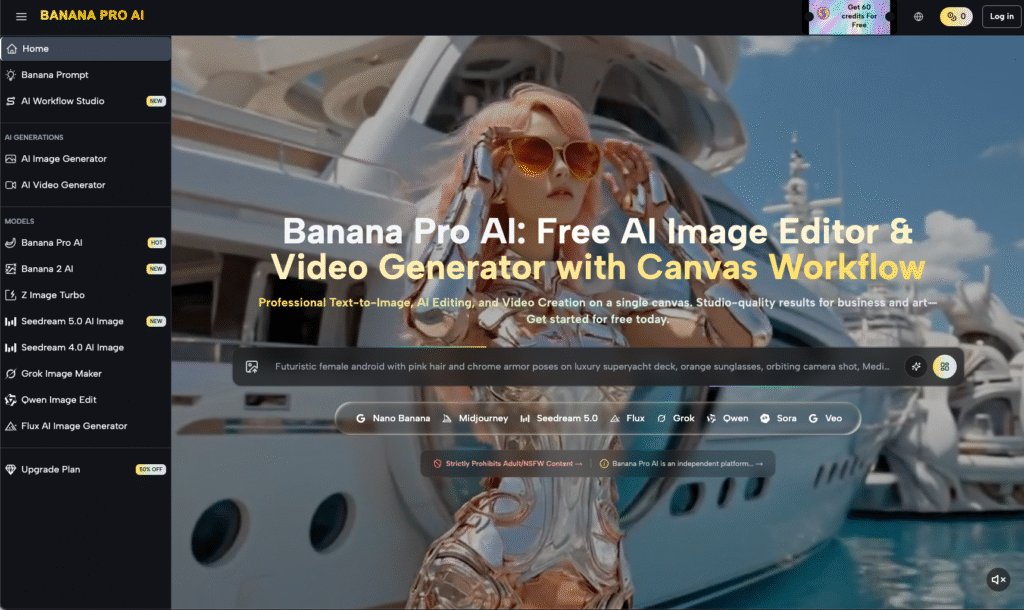
Managing Expectation and Diffusion Noise
One of the limitations that production teams must accept is that diffusion models—even sophisticated ones like Banana AI—have a “memory” that is dictated by noise. When you perform multiple rounds of inpainting on the same area, you can sometimes introduce “pixel rot” or “over-processing,” where the texture begins to look plasticky or overly smoothed.
It is often better to revert to an earlier version or adjust the “denoising strength” rather than layering edit upon edit. Knowing when to stop is a skill that takes time to develop. A common mistake is trying to get the AI to render perfect text inside an inpaint mask. While Nano Banana Pro has made strides in text rendering, the latent space still struggles with specific, small-scale typography. In many cases, it is more efficient to inpaint a clean surface and then add the text in post-production using traditional design software.
The Economics of Iteration
From a business perspective, the use of Nano Banana and the wider Banana Pro suite is about reducing the “Cost Per Approved Asset.” If a creative agency can produce a launch-ready visual in 45 minutes of iterative editing versus 10 hours of traditional photography and retouching, the ROI is undeniable.
However, the value isn’t just in speed; it’s in the ability to pivot. If a client decides the product should be in a mountain setting instead of a beach, the team doesn’t need to re-book a shoot. They use the canvas, mask the background, and let the AI swap the environment while keeping the product lighting intact. This level of agility was historically impossible.
Closing the Production Gap
The “Last 20%” of production—the tweaking, the fixing, the refining—is where the real value is created. It is the difference between a project that stays in a “concept” folder and one that goes live on a billboard or a storefront.
The tools provided within the Banana Pro ecosystem are designed to bridge this gap. By focusing on the interplay between a high-speed engine like Nano Banana Pro and a flexible canvas, product teams can move past the novelty of AI generation and into the era of AI production. The goal is no longer to see what the AI can do, but to make the AI do exactly what the brand requires.
In the end, the most successful creators won’t be those with the most complex prompts, but those with the most disciplined editing workflows. They understand that the AI provides the clay, but the artist provides the shape. Through strategic use of an AI Image Editor, that shape becomes a professional reality.